

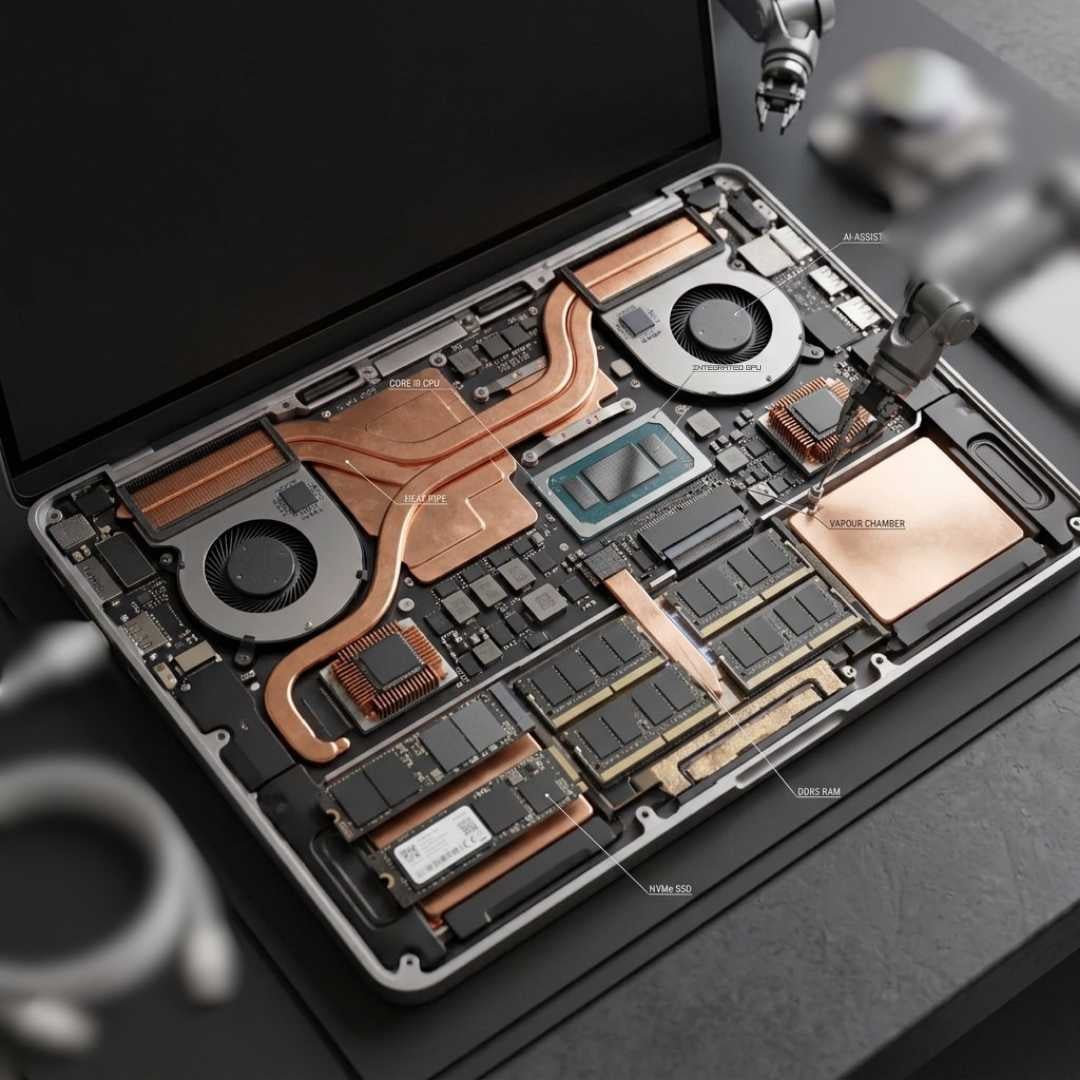
Remember when laptops were supposed to be mini computers and not personal heaters? With laptops coming into the scene, manufacturers had to fit everything into a much smaller form factor, consequently causing overheating.
To deal with this, companies tried fitting fans and vapour chambers into the same body. This resulted in bulkier and heavier laptops. But technologies evolved, and cut to today, we have slim, lightweight, and ultra-portable laptops.
You’d think that after decades of innovation and a thousand bucks later, you’d get a machine that you can actually put on your lap. We guess a powerful chip isn’t that big of a pro. The real joke here is not that these machines are so filthy-hot, but that we’ve accepted them with their flaws.
Now, the good news is, apparently, the future of laptop overheating doesn’t look this bad. In this blog, we’ve mentioned all the whys and whats. So head below and check it out.
Why Laptop Overheating May End In The Future?
Overheating is a problem most of us have learned to live with. But thankfully, nothing in the tech world stays the same. Head below to know how these heat issues might not come up in future models.
Smaller Process Nodes
The smaller the process nodes, the cooler the operations - this is a general rule of thumb. This is because tiny chips run more efficiently and less energy gets wasted as heat. Right now, companies like Qualcomm and Apple are working on 3nm chips. The performance per watt of these chips is insane, by the way.
This is why the latest notebook models of Apple and Qualcomm, like MacBook Pro 16 (M5 Max) and Dell XPS 13 (Snapdragon X Elite), stay cooler for longer. Now, the exciting part is that companies like Intel and TSMC are working on the 2nm node. In fact, the MacBook Ultra (2027) is set to feature this tiny chip. This means the chances of thermal throttle in the future will be pretty low.
Better Chip Architectures
The size of the processor matters… sure, but there are other things too, like CPU architecture. Back in the day, most processors followed a single design philosophy. All the cores worked for one goal at a time. This meant that even the most mundane tasks (like browsing) took up all your processor’s best resources, while generating a ton of heat.
But now, things have changed. Developers are shifting to hybrid architecture processors that have performance and efficiency cores separated. The P-cores only tackle tough tasks that burn your notebook’s bottom, while E-cores do all the chill, low-power tasks. Some futuristic chips even introduce a new type of core, like a ‘Prime’ or ‘Super’ core, that beats the regular P and E-cores when it comes to being thermally efficient.
Dedicated AI Engines & NPUs
Regular AI tasks used to literally cook your CPU and GPU hard, especially when you’re running multiple apps or tabs at once. But now, NPUs are stepping in! These are like dedicated AI assistants inside the chip that take on all kinds of AI-related workloads (big or small). This spares your CPU and GPU so that they can perform their tasks.
Now, how does this prevent overheating? You see, the CPU and GPU are your notebook’s two most important parts, so they should be left stress-free. Otherwise, you’ll encounter some serious system strain, power spikes, and eventually, heat buildup. With upcoming notebooks becoming heavily dependent on AI (and NPUs), the overheating issue is likely to fade over time.
Smarter AI Thermal Management
Thermal control is no longer reactive - it’s predictive, and we’re so here for it. Modern systems are being designed with AI-powered thermal governors. In case you’re new, a thermal governor is basically a laptop’s temperature manager. Whenever your device gets hot, the thermal governor automatically increases fan speed, reduces power consumption, and takes such measures.
Back to the AI-powered thermal governor! Now, it does the same thing, but instead of waiting for the device to show signs of heat, like stutters or power spikes, it just takes the precautionary measures by itself. How would the governor know when it’s about to get hot, you might ask? Just two words - Pattern Recognition.
Improved Battery Technology
Everyone just loves blaming the CPU when a notebook gets hot, when the actual culprit could be the battery. Just think - charging, discharging, and regulating power throughout the device would create so much heat. Especially if the battery starts ageing or when you’re already working in a hot environment. The upcoming battery tech looks a lot smarter, though.
We’re talking about solid-state batteries with new and improved lithium designs. These batteries are being built to reduce energy consumption as well as heat output. So yeah, future laptops aren’t abandoning your regular lithium-ion cells; instead, they’re using more advanced lithium-based batteries. So yeah, it's kind of a bummer that we’re still stuck with lithium-ion, but as long as your device stays cool, it’s fine.
Laptop Cooling Systems of The Future
The cooling system is the real MVP of a notebook (after the processor, of course). Head below to know the different notebook cooling technologies that the future holds for us.
Vapour Chambers
Tried and tested for years - vapour chambers were originally used in bulky, chunky notebooks like the ThinkPad. But soon, they’ll be featured in ultra-portable laptops. Now, they won’t obviously be as narrow as they normally are. Instead, they’ll be thin and flat, but at the same time, roomy enough to transport the heat out of the machine.
Graphene-Based Thermals
Developers have started experimenting with graphene films, pads, and heat spreaders to replace useless thermal tech. Now, graphene is basically a thin sheet of carbon atoms that are arranged in a sort of honeycomb pattern. It moves the heat particles away from the CPU and GPU on a priority basis. Graphene is easily one of those technologies that could make your device cooler without adding any bulk to it.
Solid-State Cooling Tech
Imagine a laptop where the cooling system has no fans, no spinning parts, nothing that makes noise. Kind of sounds like your regular passive cooling system, no? Well, it’s not. Instead, these systems use physics to counter heat. Technologies such as thermoelectric molecules and electrocaloric materials are being tested so they can finally replace those irritating cooling fans.
AI-Powered Fans
Sadly, the cooling fans might stay in the future. Gladly, they’ll be getting a major upgrade. AI-driven controllers (thermal governors) will predict your workflow and turn on/off/adjust the fan. So let’s say you’re gaming; the AI will know that you’re in full power mode because it understands your past behaviour to recognise patterns. This workload prediction will let it control the fans, which will hopefully be less overwhelming than your regular fans.
Phase Change Tech
Liquid cooling is another tech update of the future. Engineers are literally shrinking pumps and cooling loops so that they can fit inside modern thin laptops. So, instead of pushing the hot air out, these systems will move liquid through tightly sealed channels so that they can cool down the system from the inside. If this technology actually ends up working, we bet it will be a hit.
Final Word
So, will laptops ever completely stop overheating? Nah, physics ain’t getting hacked anytime soon. But the future does look pretty promising from here. The absolute shrinkage of process nodes, the invention of new cores, and dedicated NPUs will control the thermal overload to an extent; that’s for sure.
The new battery and cooling technologies of tomorrow also look like they’re going to be the next big thing. But all we can do is hope. Even if overheating doesn’t totally end, at least it shouldn’t be bad enough to ruin your entire workflow.





