

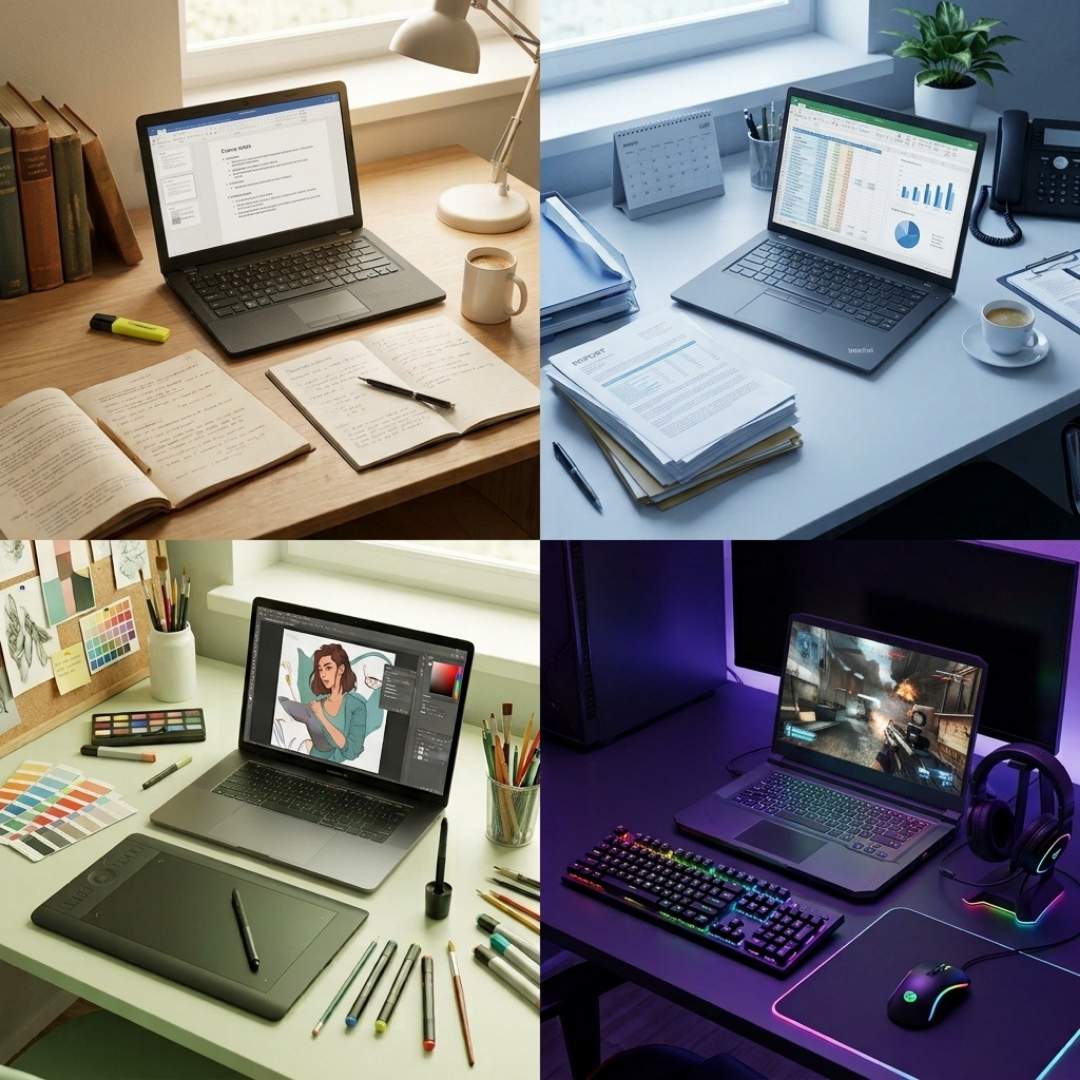
Here’s the thing - the ‘best laptop’ doesn’t exist! At least not in the way people think it does. There’s this common myth that the priciest notebook is going to be the best. Well, here we are busting it once and for all.
A machine that’s ideal for one person (no matter how fancy) could be a complete waste of money for another. That’s exactly why scrolling through hundreds of guides is a bad idea when trying to get a notebook for yourself. In fact, those bloated buying guides on Google are no good.
What you need is something that helps you identify your everyday use case, and depending on that, lets you pick the right kind of device. In other words, you need this blog.
Laptop Recommendations Based on Daily Usage
The best laptop most definitely isn’t the one with the biggest specs sheet. It’s the one where each feature makes perfect sense. Head below to know more.
Basic Everyday Tasks
Not every notebook needs to be an absolute performance monster! If your workload consists of simple browsing, emails, and light Microsoft Office tasks, almost any entry-level laptop would work for you. There’s no need to go overboard with a high-end device that’s loaded with RAM, SSD, and the latest processor.
That said, you should have at least 8 to 16GB RAM, a decent SSD capacity, and a comfortable battery life. Now, there’s nothing wrong with going a bit boujee, but instead of jumping the tier, we recommend you invest in entry-level or mid-range options. MacBook Air (M3) is a good option for that matter. It is mid-range, it’s swanky and delivers seamless everyday performance.
Student & Academic Work
If you’re a student, your notebook’s going to have it rough! These devices literally survive assignments, deadlines, lectures, group projects and whatnot. So your goal should be to get something that’s functional and practical rather than aesthetic. This is why you should aim for portability and an all-day battery more than anything.
Now, most students settle well with entry-level notebooks just fine. But after a point, they’ll need to get upgraded, so a mid-range device is your best bet in today’s tough academic world.
You need at least 16GB RAM, 256GB SSD, and 50WH+ battery (50Wh lasts 4-6 hours unplugged), which makes the HP Pavilion Plus a go-to option for you.
Creative Workload
Creative apps are absolute power hoggers. You can’t really do any hefty creative task on an entry-level notebook; even mid-range devices struggle to perform such graphic-heavy tasks. So, if your workflow involves Photoshop, Premiere Pro, Lightroom or anything that renders or edits huge files, you need to have a good budget.
When buying a notebook, you’ll have to focus specifically on a dedicated GPU like the NVIDIA RTX (no other way about it). You’ll also need an extraordinarily powerful CPU to go with it. Also, 16GB DDR4 or DDR5 RAM and 512GB PCIe 5.0 SSD are a starter pack.
Lastly, invest in a machine with top-notch colour accuracy, a gorgeous display, high resolution, and wide colour gamut coverage, just like the ASUS StudioBook Pro 17.
Gaming-Intensive Usage
Gaming laptops are a whole different niche. If you’re a serious gamer, you can’t really thrive with a regular notebook, even if it’s one from the premium tier. Gaming notebooks have a specific kind of build with components that are cherry-picked to support modern AAA titles.
So first and foremost, your device will have a dedicated GPU, fast CPU, speedy RAM (preferably DDR4 or DDR5), and fast NVMe (preferably PCIe 4.0 or PCIe 5.0) + DirectStorage.
The device should also have a refresh rate of at least 144Hz (the more, the better). Another must-have feature of such machines is an active cooling system that actually does its job. This is why most gaming notebooks are super chunky and heavy. Take the Acer Nitro 16, for example; a bit bulky, but does the job just right.
AI & Machine-Learning Work
Running AI models locally has become pretty common in today’s world, but it demands some serious hardware upgrades. Fun fact: AI notebooks account for 62% of the total notebook shipments in 2026. An everyday entry-level machine cannot run the latest AI models because, for one, it might not even have a neural engine.
Also, you need a processor with a high core count (with a combination of cores), and a powerful dGPU with loads of VRAM. Plus, you need as much RAM and SSD (NVMe) as you can get because these machines are memory-hungry and the models take up a lot of space. Not to forget, they do generate a lot of heat, so you need heavy-duty cooling as well.
An option that’s brutally powerful, like the ASUS ROG Strix Scar 18, would be nice.
Business & Professional Use
Corporate and enterprise users are mostly looking for reliability over looks. So, the machine doesn’t have to be flashy or anything, but it should be strong enough to handle everyday wear (and multitasking too). Now, you can either pick from a mid-tier range or a premium-tier, based on your workload.
But one thing the machine must have is a good multi-core CPU. The rest of the features are pretty much up to you. You could prioritise a comfortable keyboard, or security features (like a fingerprint reader), or a clear webcam and microphone.
Now, if you ask us, the Lenovo ThinkPad X1 Carbon Gen 13 is an all-rounder. Though if you’re looking for something a bit on budget, the Dell Pro 14 is also not bad.
Choosing The Right Laptop Ecosystem For Your Needs
If there’s something more important than deciding on the best notebook, it's cracking which OS is right for you. That’s the first step, so head below to know yours.
Windows
Windows is the most popular operating system by far. The reason for its popularity is its compatibility with almost every type of hardware and software. It doesn’t matter if you’re going for a budget device or a premium workstation, there’s always a Windows option available. So if you’re a student, freelancer, or an everyday user, Windows is your safest bet.
macOS
This operating system is designed exclusively for Apple devices, which kind of makes it feel more premium. macOS is known for its smooth performance, long battery life, and top-notch security features (also the crazy price tags). Tech professionals are big MacBook users; in fact, IT developers make up around 26% of the MacBook market, which tells you a lot about macOS popularity.
ChromeOS
This OS is the lighter version of the above two operating systems. It’s designed entirely around the web, so if your work involves Google Docs, Gmail, streaming services and so on, ChromeOS is the right fit for you. It's affordable, boots quickly, and receives automatic security updates. But keep in mind that it’s not designed for demanding desktop software.
Linux
Linux is a great choice for anyone who has a heavy programming workload. It’s an open-source operating system that’s highly customizable. Yes, it’s a bit more complicated than Windows and macOS, but to be fair, it is built for complicated software and tools. If you’re a developer or just someone who builds AI models, Linux is the perfect fit for you.
Final Word
At the end of the day, the best laptop is the one that fits your lifestyle. Not the one with the flashiest specs! Not the one with the biggest discount tag! But one that has the right selection of features. So instead of grabbing the most popular model, figure out your needs and wants and buy based on that.
And remember, whether you’re a student with a tight budget, or a data scientist willing to spend thousands, there’s a notebook for every person. So use this guide as your starting point, and you’ll be a lot less likely to end up with the wrong machine.





